SAS Users
Providing technical tips and support information, written for and by SAS users.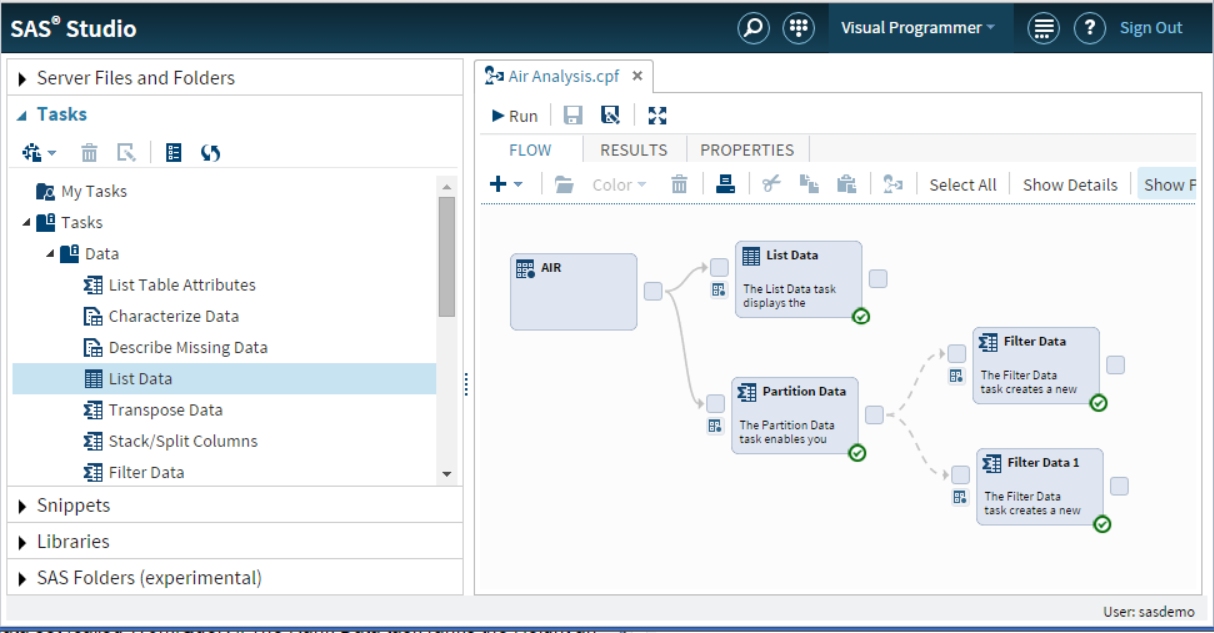

One of the hidden gems of SAS Studio is the ability to run process flows in parallel. This feature really shines when used in a grid environment. Let’s discuss this one step at a time. First, what is a process flow? When working in the Visual Programmer perspective, you have


In the past, configuring a new autoload library for SAS Visual Analytics was a manual process involving steps to create very specific folder structures and to copy and edit scripts and SAS programs. No more! Updates to the SAS Deployment Manager have added a new task that creates and configures new autoload libraries


The SAS Environment Manager Report Center is a set of SAS stored processes and SAS macros which leverage the SAS Data Mart for the purpose of monitoring and auditing a SAS installation. Full documentation on the structure and functioning of the Data Mart can be found in the SAS Environment Manager