SAS Users
Providing technical tips and support information, written for and by SAS users.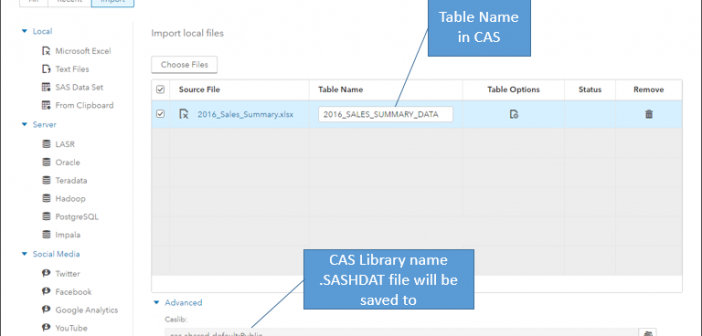

In SAS Viya 3.2, the Self-Service Import provides a mechanism for a user to import (copy) data into the SAS Cloud Analytic Services (CAS) environment. The data is copied as a .sashdat file into the selected CAS Library location when it is imported. Self-Service Import data can only be imported into


The ancient political maxim “divide and conquer” (Lat. “dīvide et īmpera”) has been used for millennia in politics, sociology, and psychology, mainly to manipulate people. In the last two centuries, however, this principle has also been adopted by computer science. It is widely used in computer programming, primarily in computer
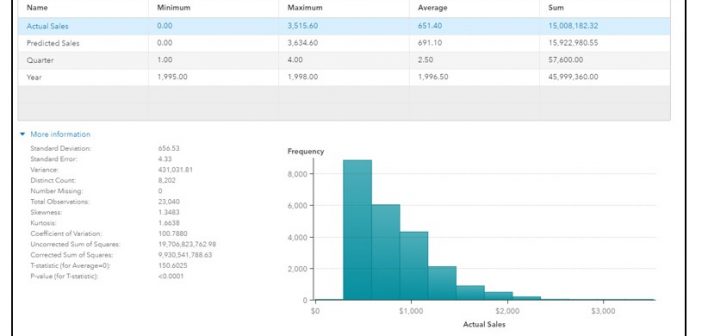

Refining your data for effective reports is even easier in the 8.1 release of SAS Visual Analytics. In this blog post, I’ll take a look at the data pane, how it displays data from your active data source, and a few tasks that you might want to perform, such as