Tag: Scatter Plot

Data Visualization
Sanjay Matange 0
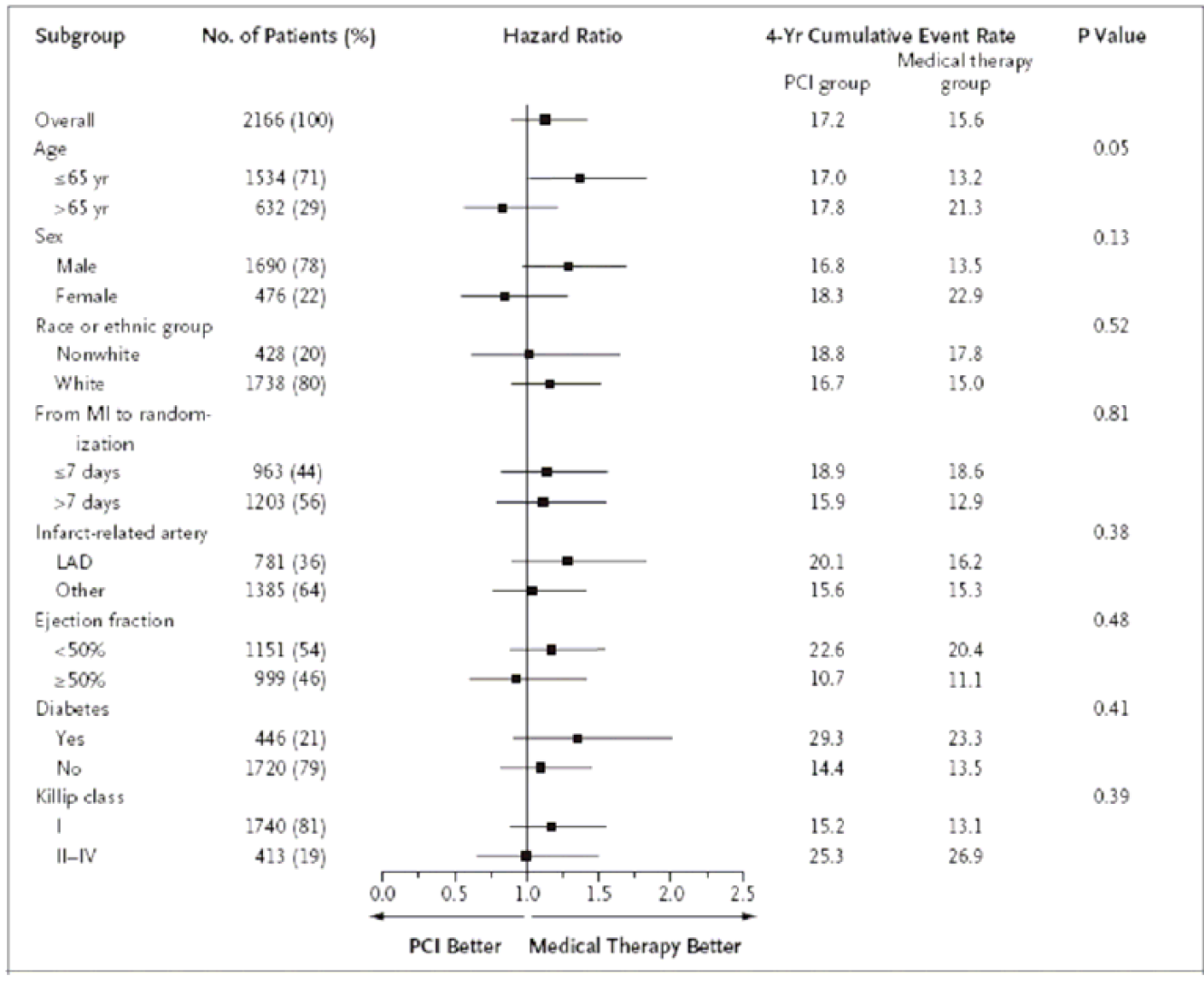
Forest Plot with Subgroups

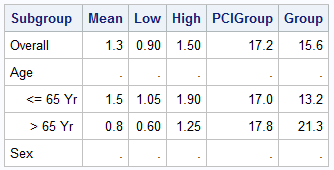
During SAS Global Forum 2012, I had conversations with many SAS users who wanted to create Forest Plots.  However, there was one new twist.  The study names were subgrouped by categories like 'Age', 'Sex', etc., with multiple entries under each subgroup.  The name of each study within the subgrouped was indented
Data Visualization
Sanjay Matange 0
Non-breaking space

Forest plots come in many flavors.   An example of a Forest plot using GTL is available on the SAS support web site.  Simple forest plots can also be created using SGPLOT procedure by using the SCATTER statement with MARKERCHAR to display data aligned with the plot by study names. One issue

Data Visualization
Sanjay Matange 0
Extended Bands

In the Clinical Research domain, there is often the need to display lab values by treatment or test and it is often useful to view this data along with reference lines showing the normal ranges.  The obvious way is to use reference lines to denote the normal ranges. SGPLOT Code: proc sgplot data=band; scatter x=x y=y