
SAS Innovate 2026 and you: the SAS user

SAS Innovate 2026 features content and experiences especially for SAS user group presenters and SAS 9 users.
SAS Innovate 2026 features content and experiences especially for SAS user group presenters and SAS 9 users.
Since its inception, DuckDB has been commanding respect in the data management sphere, carving its place as a highly performant data processing system. At SAS, the rapid advancements DuckDB has made have gone far from unnoticed; that's why, in the 2025.07 release of SAS Viya, we introduced SAS/ACCESS Interface to

Engage is a strategic automation framework that enables SAS to deliver cloud services with speed, precision and scalability. Whether supporting custom enterprise deployments or standardized offerings, Engage helps us deliver value faster and more reliably to our hosted customers.

In SAS Viya 4, we can embed inputs directly on the reporting page with live results. These reports have code that takes user inputs and runs the program, which will run the dataset and update it with the most recent data. This gives the user the ability to create datasets
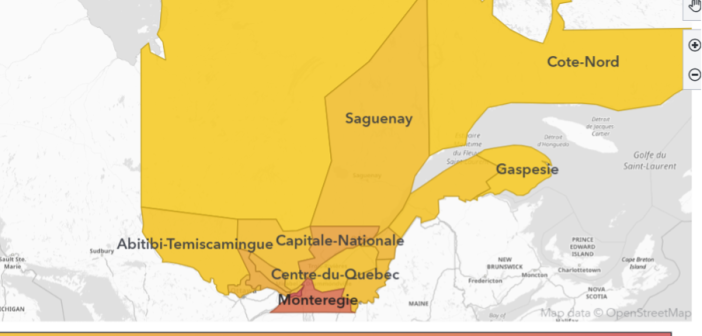
Learn how to create and visualize custom geographic regions in SAS Viya Visual Analytics, either by grouping existing map shapes or by uploading and configuring shapefiles to support regions with custom borders.

In my first article on hyperparameter autotuning, I used a cake analogy to show how to use hyperparameter autotuning with Optuna and the sasviya.ml package in Python to improve detecting Higgs bosons in a particle accelerator. SAS Viya Workbench now supports hyperparameter autotuning in SAS code with a variety of

Mapping in SAS Viya gives the user plenty of options for maps to use. Signing in to ESRI on SAS Viya gives us many more. But what if the map that is needed is not available and is technically not a map at all? Well, not to worry, as there is

Using college football recruiting and talent data as an example, let's see how DuckDB’s flexibility and SAS integration streamline complex transformations and queries.
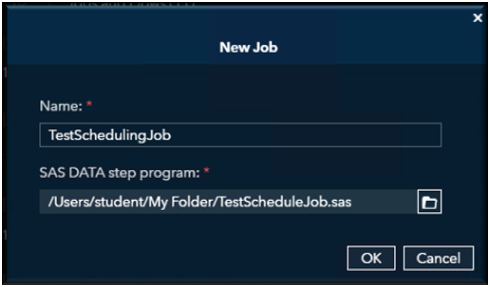
Getting Started with Job Scheduling in SAS Viya If you have ever had to manually trigger Viya jobs, you know the drill: it is tedious, and one forgotten click can throw everything off. That is where SAS Viya job scheduling comes in. It lets you automate your programs, data loads,
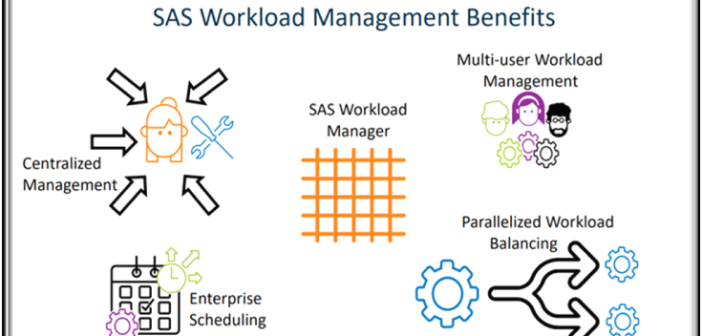
Managing workloads in modern analytics environments is not keeping systems running, it’s about making sure the right jobs get the right resources at the right time. As organizations move analytics to the cloud, powered by Kubernetes, balancing workloads across computer resources becomes a critical challenge.