Python developers have more options than ever for working with SAS® Viya®. Whether you prefer VS Code, JupyterLab, notebooks or another workflow, there's no single "right" way to build. The best approach depends on how you work, your team's requirements and the problems you're trying to solve.
During my SAS Innovate 2026 session, I shared six different ways to run Python in SAS Viya. I know, I didn't follow the standard presentation rule of only giving lists in 1, 3, 5 or 10 because apparently any number in between makes people uncomfortable. I just had too much to say in too little time.
This blog series is my chance to dive deeper into each approach than I could during the presentation. Think of it as the Director's Cut. Rumor has it Project Hail Mary was nearly four hours long before they trimmed it down to two and a half. Don't worry – I'm not going to make you read that much. But I am looking forward to that release.
Everyone has their preferred way to develop. And in some cases, a way they're required to develop. I'm not here to tell you which approach is best, because there is no "best." My goal is to show you the options. Yes, I have my favorites. You probably have yours, too. Of the six, you might only want one. Or maybe company policy, infrastructure or security requirements narrow your choices for you. That's okay. You've got options.
I'm starting this series a little differently than I did in the presentation by beginning with SAS Viya Workbench. It's one of my favorite environments for rapid development and experimentation, especially when I want a familiar, high-performance Python workflow that won't make my laptop sound like a Boeing 747 on takeoff.
Part 1 - SAS Viya Workbench
SAS Viya Workbench has a familiar browser-based Python development environment with that laptop experience you know and love, plus powerful compute you can choose on the fly, GPU support, and the governance IT departments expect. Open-source developers want to experiment quickly and with few boundaries. You see a popular package out there on GitHub and you want to see what it’s all about. Maybe you want to build it into your workflow. Maybe you want to iterate with it in dozens of ways. Maybe even break a few things along the way.
SAS Viya Workbench gives you that speed and autonomy without giving up the tools you already know. Here’s how.
It’s your environment
You. Yours. No one else’s.
This is your space to work the way you want to work. Spin it up, shut it down, run out of memory, restart it, use a bigger server, use a smaller server, try new stuff, make another workbench, throw things at the wall and see what sticks. If Technologic by Daft Punk is stuck in your head now, I’m sorry. Or you’re welcome.
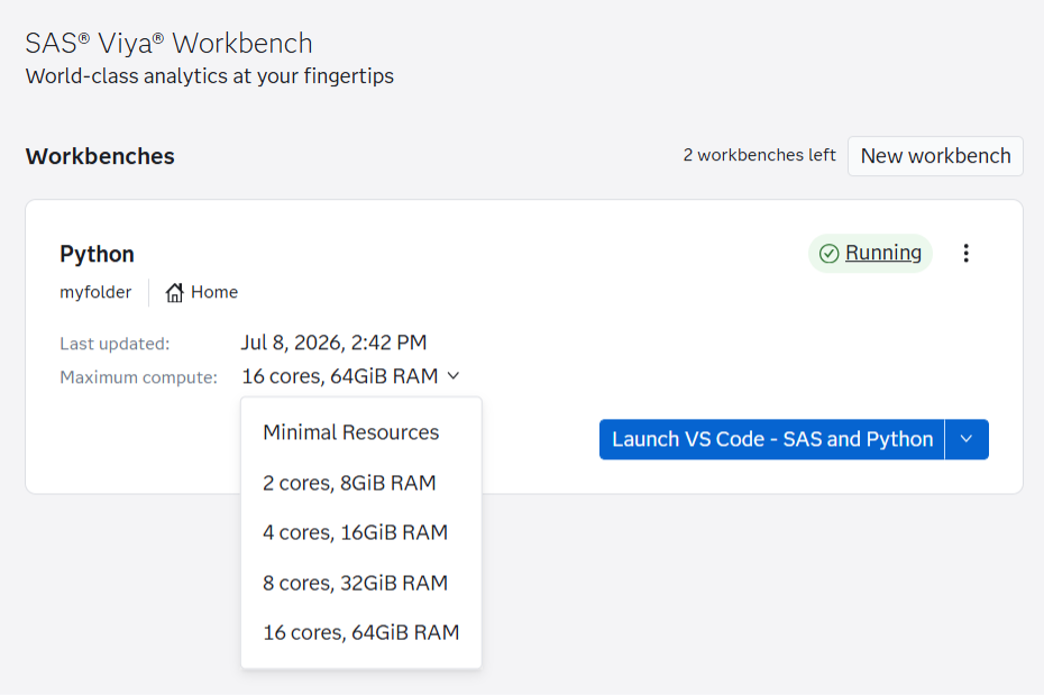
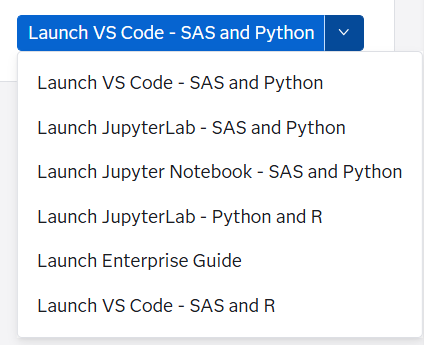
Want Python and SAS in VS Code? Done.
VS Code extensions? The marketplace awaits.
Prefer JupyterLab instead? Sure.
Want to see how far you can push it? Ramp up to the biggest server.
Want to see how efficient you can be? Shrink down to the smallest server.
Environment variables? Just open the settings menu and add them.
Virtual environments? Have at it.
Need external storage? Add a volume.
Git? Git ‘er done.
It’s all right here in your browser, and it feels darn near indistinguishable from the desktop tools you already know. Your IT department will appreciate it, too: the entire setup process is covered in this video in just over 9 minutes and is a self-service infrastructure once it’s set up. Configured, customizable for your needs, ready to go, and ready for you to dive in. I seriously love programming like this.
GitHub Copilot at your service
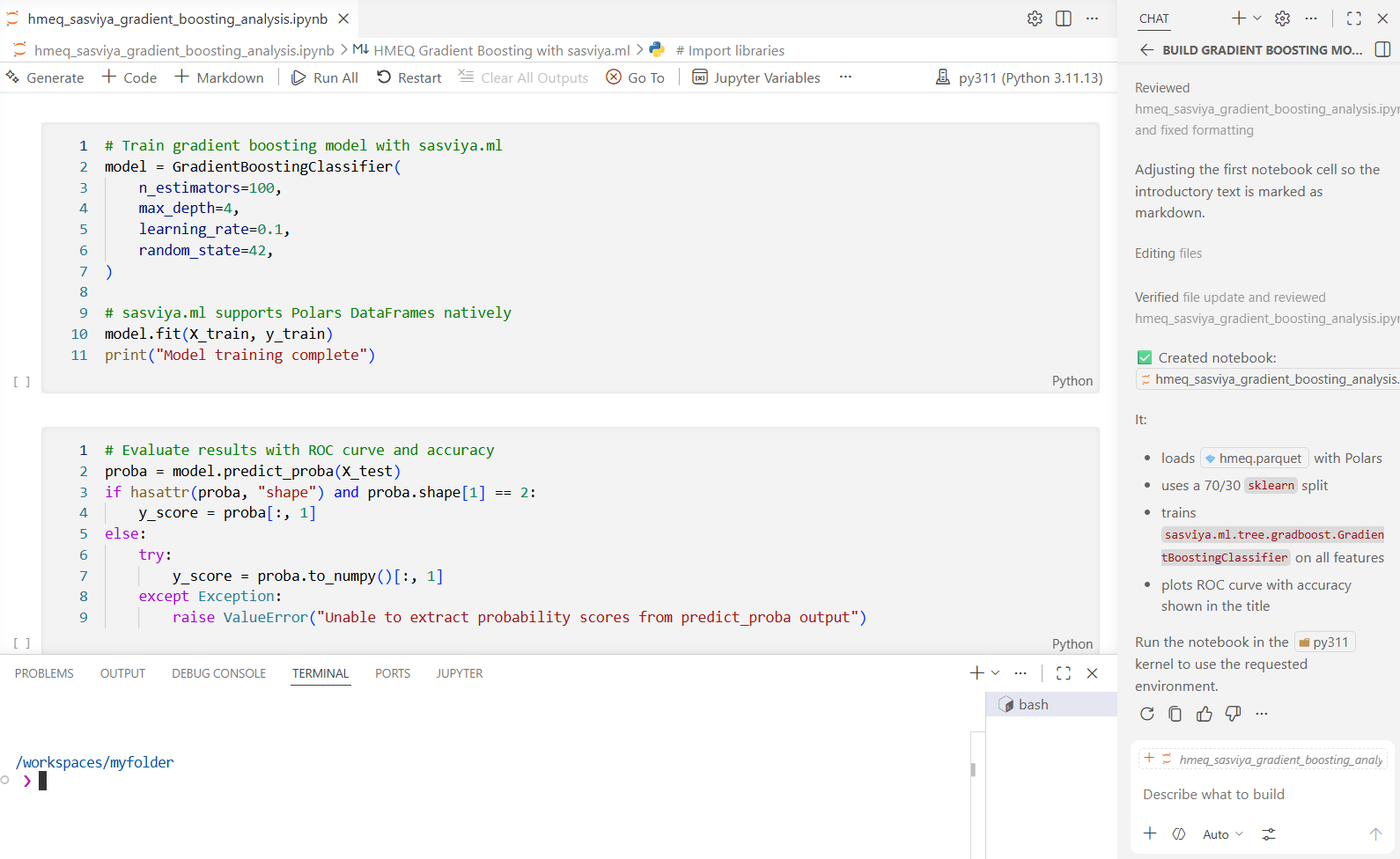
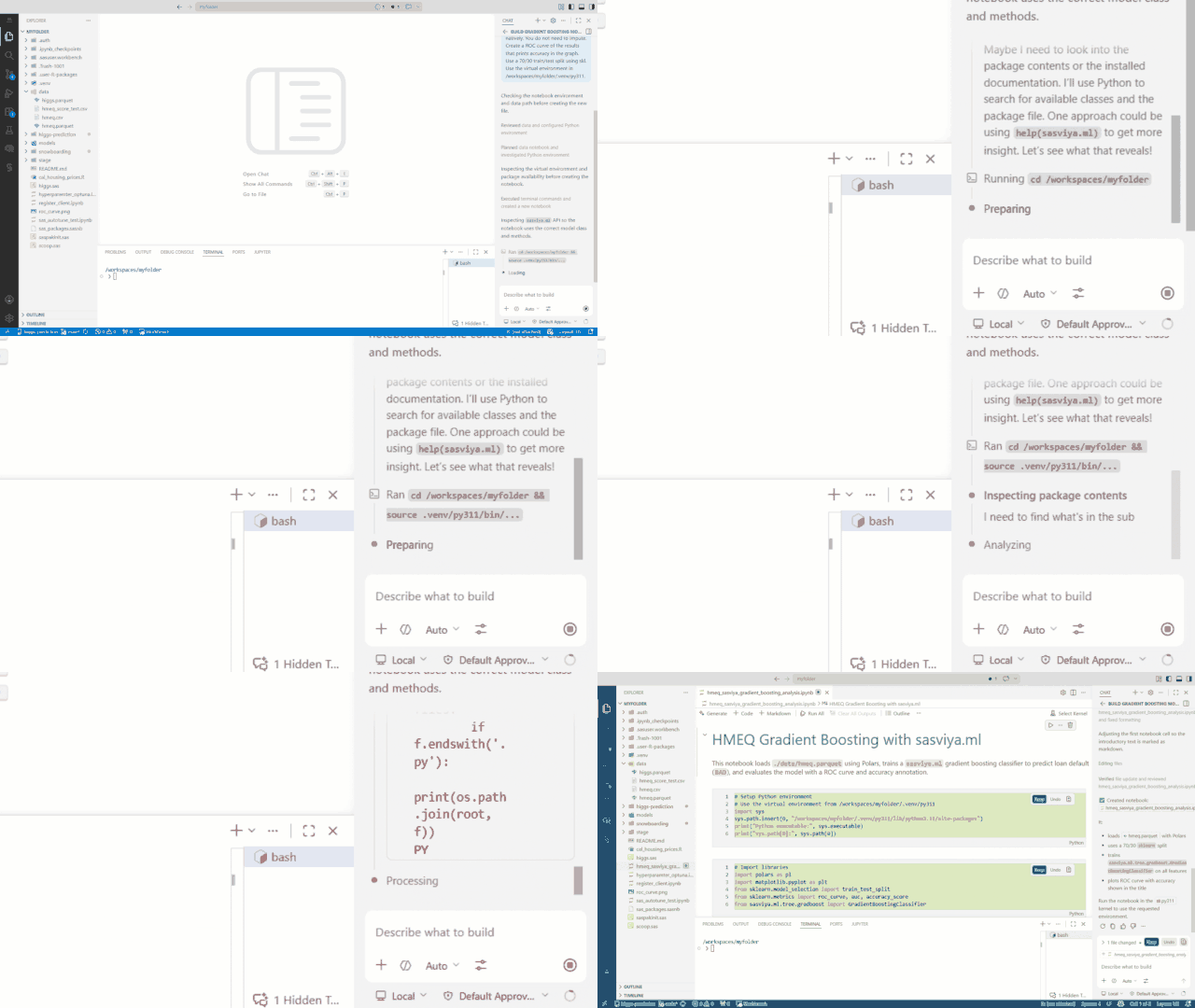
GitHub Copilot is there and ready to help you build. This isn’t some watered-down version of VS Code. This is VS Code the way you expect it in a modern development environment.
Bash away
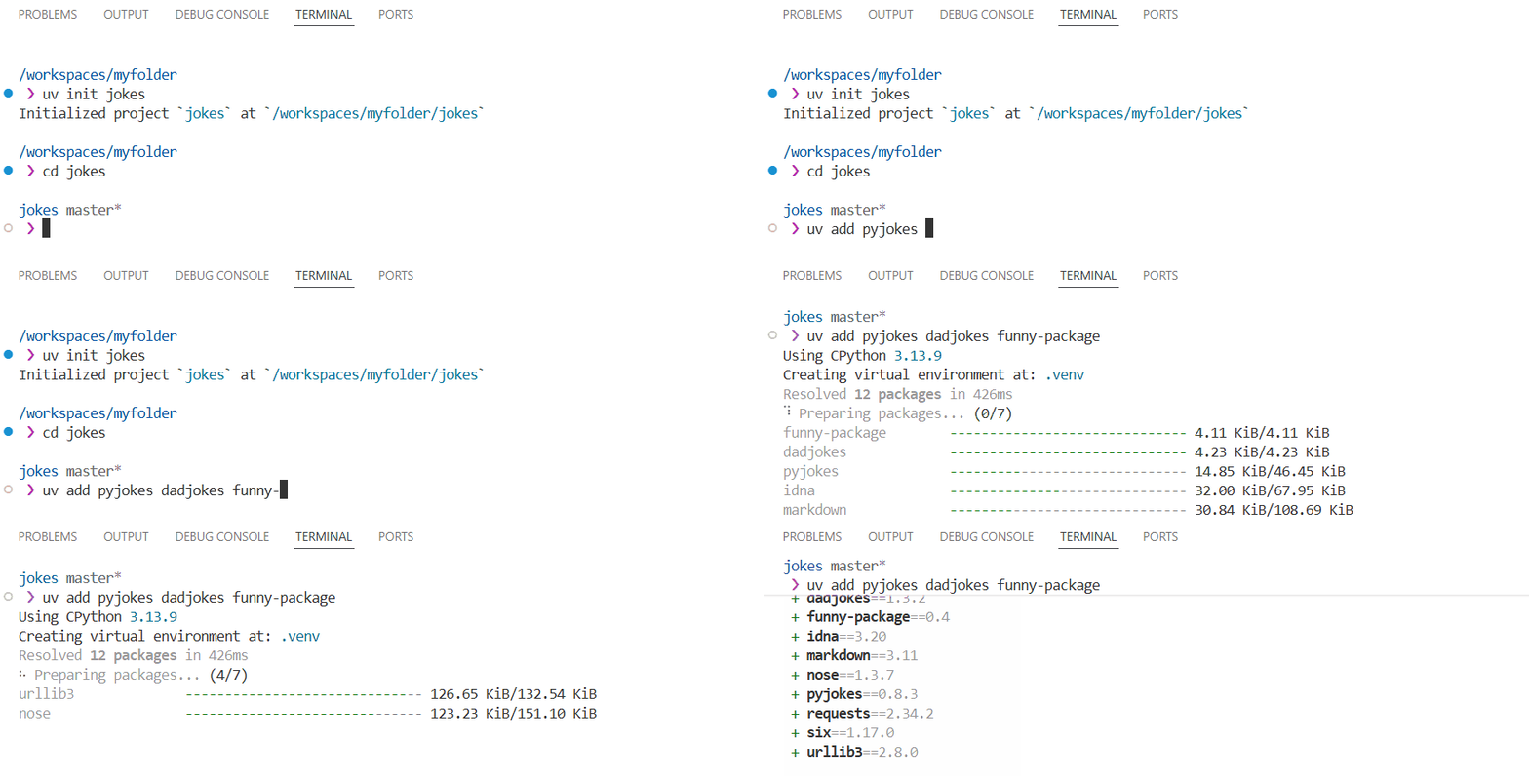
Have you ever been on a system and wished you had shell access to run some Bash scripts? Or maybe you just want to build a Python virtual environment? Hit Ctrl + Shift + ~ and voilà: your terminal awaits your commands. Want uv to manage your virtual environments? U’ve got it. uv makes dependency management easy and you can use it in SAS Viya Workbench.
 Built with Python in mind
There’s a good reason why VS Code, JupyterLab, and Jupyter Notebooks are the three main ways to work with Python in SAS Viya Workbench. VS Code and notebooks are familiar territory for Python programmers. Whether you want to write .py files or iterate cell by cell in a notebook, SAS Viya Workbench gives you familiar development options and the flexibility to switch as you work.
Wait, we’ve talked a lot about Python here. Isn’t it called SAS Viya Workbench? Where is SAS in all this? For starters, it comes with a high-performance SAS environment that includes the latest SAS Viya machine learning algorithms and open data access methods like Parquet and DuckDB. These are all accessible from the pre-installed SAS extension for VS Code. And yes, it does support Enterprise Guide. But that’s just the beginning.
If you’re a pure Python programmer, you probably don’t want to even hear the word PROC.
We know. We get it.
That’s exactly why we built the sasviya package. sasviya is your Pythonic access point to SAS’s algorithms. You may be wondering, “Do I need to learn a whole new package syntax?”
No.
Do you know scikit-learn? Then you know sasviya.ml
Do you know NetworkX? Then you know sasviya.network
Do you know Pillow and OpenCV? Then you know sasviya.cv
Adherence to PEP standards, community standards, and compatibility with popular Python packages are an extraordinarily important part of sasviya. We don’t take this lightly: you’ll see few, if any, SAS language elements in these packages. That’s how committed we are. After all, the incredible engineers here at SAS are programmers, too. They get it.
Why would you want to use these models over others? Let’s take a look.
High-performance SAS algorithms in a way you understand
Back when I was a data scientist, I built a lot of machine learning and AI models with SAS. From forecasting to gradient boosting to deep neural networks, I worked with massive amounts of data without needing to think much about it. SAS algorithms and SAS itself as an engine are both really good at dealing with complex data that’s hard to compute.
I wrote about this in one of my blogs, Boost ML Accuracy with hyperparameter tuning, where I took an 11M x 21 dataset and ran it through the autotuning gamut on a modest 16-core, 64 GB RAM server with sasviya.ml.tree.GradientBoostingClassifier. In fact, I gave it a try with five separate default models, all of which ran without issue.
I initially tried it with scikit-learn, and it took nearly 45 minutes to complete one model. Switching over to sasviya.ml was as easy as changing my import statement:
from sasviya.ml.tree import GradientBoostingClassifier model = GradientBoostingClassifier( n_bins=255, n_estimators=100, max_depth=3, min_samples_leaf=20, learning_rate=0.1, random_state=42 ) |
If you’ve used scikit-learn, that should look very familiar to you. sasviya.ml models also come with a few other nice bonuses beyond just the basics:
- They accept Pandas DataFrames, Polars DataFrames, PyArrow tables, and DuckDB queries natively without any internal copying
- No one-hot encoding necessary: give it categories and sasviya just handles it
- Generate pre-built, customized plots for supported models with
customize_results() - Get model details through
describe()that you would otherwise need to calculate yourself - Pickle a model or export it as an Analytic Store (ASTORE) to easily run in enterprise Viya
- Some models, such as
LogisticRegression, produce results that match the equivalent SAS PROC with default settings, making validation and comparison easier
If you’re a SAS programmer, you might be looking at this and thinking “Well yeah, I do this all the time. Those are some of my favorite parts of SAS: the speed, the built-in one-hot encoding, the diagnostics, the graphs, the model transportability, and the consistency.”
That’s precisely the idea: bring the best parts of SAS to Python. And we’re continuing to do that today thanks to your feedback.
Wrapping this first one up
There’s a lot to love about SAS Viya Workbench if you’re a Python programmer, and even more to love if you know SAS, too. It gives you a flexible place to build, test, and iterate without being constrained by the thin little rectangle whirring away on your desk. And if you work with SAS programmers, you’ll like the ease of being able to share code and models between each other. These days, I find myself reaching for SAS Viya Workbench for Python and SAS programming more often than my own laptop. Sometimes I need more compute. Other times I want to try something crazy that could make my computer come to a screeching halt or bring down a shared dev box. I always have the latest and greatest algorithms from SAS, and I don’t need to reinstall anything to get them. It’s simply just there.
Links
- SAS Innovate 2026 Presentation – Python Your Way: 6 Ways to Run Python in SAS Viya
- SAS Documentation – Python and SAS Integrations
- SAS Documentation – About the sasviya Package
- SAS Documentation – Access Data
- SAS Documentation – Advanced Analytics
- SAS Viya Workbench Examples
- SAS Viya Workbench on the Azure Marketplace
- SAS Viya Workbench on the AWS Marketplace
- Looking for more ready-to-go SAS tools on the Azure Marketplace?
Check out SAS Data Maker and its wide range of data generation methods