An FTP-style task in SAS Enterprise Guide: user-driven fixes

A few months ago I released the Copy Files task for use with SAS Enterprise Guide. The task allows you to transfer any files between your PC and a SAS Workspace session, much like an FTP process. It doesn’t rely on FTP though; it uses a combination of SAS code, [...]

Post a Comment

Special automatic macro variables available in SAS Enterprise Guide

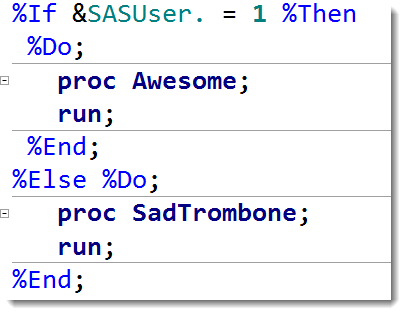
You might know about the many automatic macro variables that are available in SAS. They provide plenty of information about the SAS environment, such as the current user (SYSUSERID), the SAS version (SYSVER and SASVLONG), and the operating system where SAS is running (SYSCP and SYSCPL). That information is often [...]

Post a Comment

Improving on a SAS programming pattern

Earlier this week I described a common programming pattern in the SAS macro language. The pattern sets up a loop for processing each distinct value of a classification variable. The program uses the PROC SQL SELECT INTO feature to populate SAS macro variables. The effect: you can roll your own [...]

Post a Comment

Implement BY processing for your entire SAS program

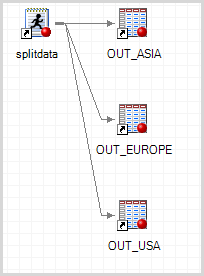
Most SAS procedures support the BY statement, which allows you to create a report or analysis for each distinct value of a variable in your data set. The syntax is simple, and SAS procedures are usually tuned to do a good job of processing the data efficiently. However, the BY [...]

Post a Comment

How many observations were processed by that last step?

A well-formed WHERE statement or subsetting IF can narrow down the output of your SAS DATA step. The SAS log does a good job of telling you how many records were processed by the action. For example, let’s look at this simple DATA step with my “poor man’s random sample”, [...]

Post a Comment

Inspecting SAS macro variables in SAS Enterprise Guide

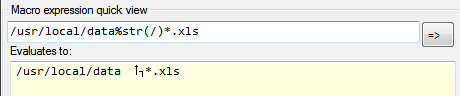
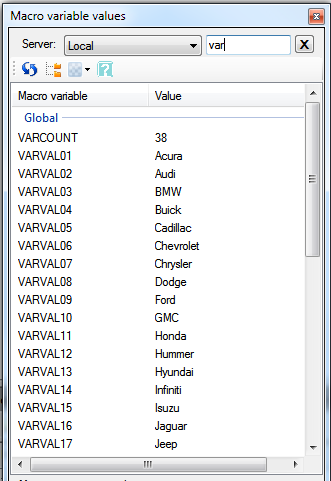
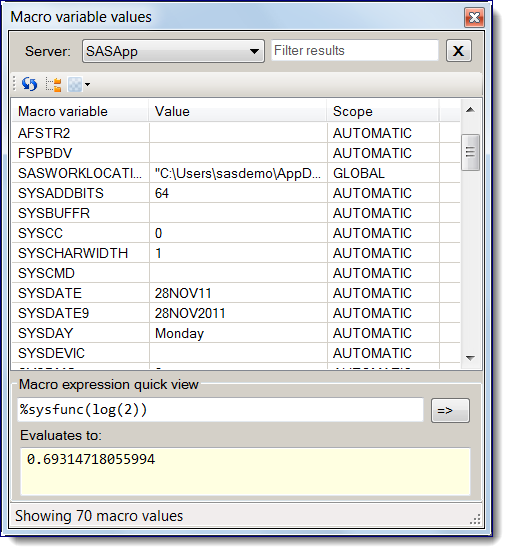
The SAS macro variable “inspector” is a custom task that plugs into SAS Enterprise Guide 4.3. You can use it to view the current values for all SAS macro variables that are defined within your SAS session. You can also evaluate “immediate” macro expressions in a convenient quick view window. [...]

Post a Comment