Using Windows PowerShell to connect to a SAS Metadata Server

SAS Integration Technologies provides a flexible platform to create all types of apps, from simple utilities to full-blown applications. As part of the research for my SAS Global Forum 2013 paper (Create Your Own Client Apps Using SAS Integration Technologies), I’ve been trying to invent some useful examples that you [...]

Post a Comment

Controlling access to custom tasks in SAS Enterprise Guide

I’ve bragged about how easy it is to install custom tasks for SAS Enterprise Guide. It’s simple: you copy the .NET assembly (usually a single DLL file) into one of the designated folders in your SAS Enterprise Guide installation, and your task just shows up in the menu. Since I [...]

Post a Comment

Calling Windows PowerShell from SAS: a simple example

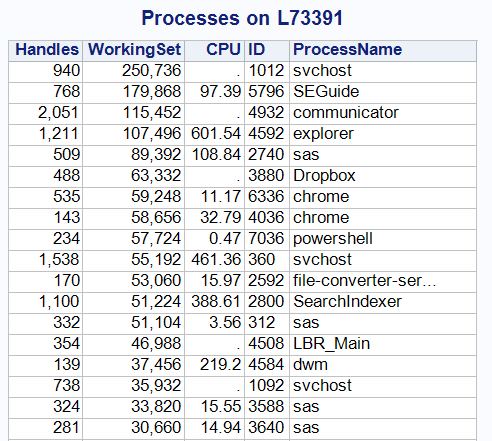
As I mentioned in my introductory post about Windows PowerShell, you can use PowerShell commands as a simple and concise method to collect data from your Windows systems — information that is ripe for analysis within SAS. In this example, I’ll show a technique for using a SAS program to [...]

Post a Comment

Running Windows PowerShell Scripts

Windows PowerShell is one of my favorite tools to use for gathering information from my PC and network, and also for automating processes.  If you are familiar with UNIX shells (such as Korn shell or its variants), you will probably be very comfortable with Windows PowerShell.  Just like its UNIX [...]

Post a Comment

Five strategies to eliminate passwords from your SAS programs

Many people mistakenly assume that just because you want to use a SAS program to access a protected resource (such as a database table), you must include the credentials for the resource inside your program. Few things cause a database administrator to lose more sleep than coming across this within [...]

Post a Comment

Process Explorer: tools for the SAS admin on Windows

It was over two years ago that I shared the tip of using Process Explorer to look under the covers at which SAS processes were running on your Windows environment. Process Explorer recently received a refresh, and it’s worth downloading the new version. (Yes, it’s free.) If you want to [...]

Post a Comment

Reporting on SAS Information Maps

Like any good SAS professional, I subscribe to the SAS Samples RSS feed. The other day I found this sample that shows how to create a PDF report about the contents of a SAS Information Map. It’s a nice example: it shows how to use the INFOMAPS engine and ODS [...]

Post a Comment

They all look the same to me: SAS.EXEs are everywhere

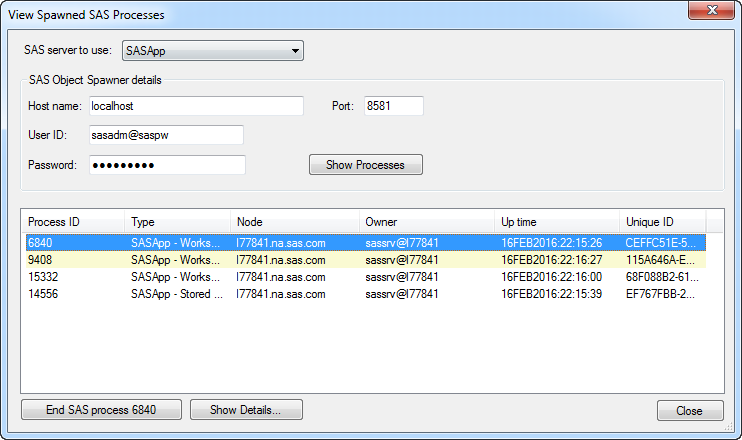
If you deploy the SAS 9 environment on Windows, you may have multiple SAS processes running on a single box (metadata process, OLAP server, multiple workspace servers). Windows Task Manager doesn’t provide a great way to distinguish one sas.exe process from another, but Process Explorer does. Process Explorer lets you [...]

Post a Comment