I used "Dropbox" in the title for this post, but these techniques can be used for other cloud-based file sharing services, such as GitHub and Google Drive.
Using PROC HTTP (added in SAS 9.2), you can easily access any "cloud-based" file as long as you have a public link to reach it. I'm a cloudy sort of guy, so I've got profiles on Dropbox, Google Drive and Github. I've shared a few sample data sources on these accounts so that you can try these techniques for yourself.
Here's one working example to get you started. (In all of my examples, I included a placeholder for PROXYHOST=, which you need only if your Internet connection is routed through a gateway proxy. That's common for corporate intranet connections, less common for schools and homes.)
filename _inbox "%sysfunc(getoption(work))/streaming.sas7bdat"; proc http method="get" url="https://dl.dropbox.com/s/pgo6ryv8tfjodiv/streaming.sas7bdat" out=_inbox /* proxyhost="http://yourproxy.company.com" */ ; run; filename _inbox clear; proc contents data=work.streaming; run; |
There are a few additional considerations for accessing cloud-based data.
You need the direct download link for the file
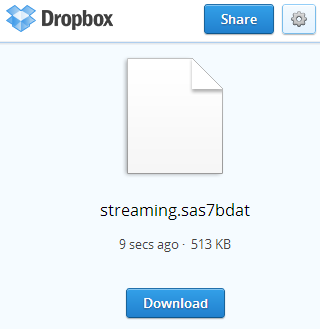
When you click "Share Link" on a service like Dropbox, you are provided with a browser-friendly link that you can give to your friends or colleagues. When they visit that link, they are presented with a simple view of the file name and a Download button.
Here's the Share Link for my sample data set:
https://www.dropbox.com/s/pgo6ryv8tfjodiv/streaming.sas7bdat
I can't use that link in my SAS program because PROC HTTP isn't going to "click" on the Download button for me. Instead, I need the link that results from clicking on the Download button, which I can get by substituting the dl.dropbox.com domain instead of www.dropbox.com in the address:
https://dl.dropbox.com/s/pgo6ryv8tfjodiv/streaming.sas7bdat
Note: You should assume that URL schemes for the "direct download" links can be subject to change, and of course they vary based on the cloud service provider. Today, the "dl.dropbox.com" scheme works for Dropbox.
A cloud-based folder is NOT a cloud-based path for a SAS library
Dropbox allows you to share a link to a folder that contains multiple files. As tempting as it might be to try, you cannot treat a cloud folder as a "path" for a SAS library. Did you notice the FILENAME statement in my first code example? I'm providing a local file destination for the download operation. PROC HTTP is my method to copy the file that I need into my SAS session.
If I have multiple files to fetch, I'll need to repeat those steps for each file, using its direct-download URL.
Your file might require additional processing before you can use it
My earlier program example works by copying a SAS7BDAT file (a SAS data set) into my SAS WORK folder. Because it's a data set, my SAS session recognizes as a valid data member. I was lucky because the data set encoding was compatible with my SAS session.
Sometimes the data might not be quite ready for you to use directly. If a colleague shares a file in a CSV or Excel format, you will need to run a PROC IMPORT step before you can use it. For convenience, a colleague might use PROC CPORT to save multiple SAS data sets into a single transport file. You'll need to run it through PROC CIMPORT before you can use it.
Here's an example that uses a CPORT file that I created with the CARS and CLASS sample data sets:
filename _inbox TEMP; proc http method="get" url="https://dl.dropbox.com/s/5uehelsok9oslgv/sample.cpo" out=_inbox /* proxyhost="http://yourproxy.company.com" */ ; run; proc cimport file=_inbox lib=work; run; filename _inbox clear; |
From the SAS log:
NOTE: PROCEDURE HTTP used (Total process time):
      real time           0.91 seconds
      cpu time            0.00 seconds

NOTE: PROC CIMPORT begins to create/update data set WORK.CARS
NOTE: Data set contains 15 variables and 428 observations.
      Logical record length is 152

NOTE: PROC CIMPORT begins to create/update data set WORK.CLASS
NOTE: Data set contains 5 variables and 19 observations.
      Logical record length is 40
You can %include SAS programs from the cloud
It might not be the wisest move to blindly access a cloud-based SAS program and execute it with your SAS session, but you can do it. And because SAS programs can contain data records (in the form of CARDS or DATALINES), this is another way to share data in a portable way.
This program downloads and runs Rick Wicklin's "Christmas Tree" challenge, which he posted on The DO Loop blog last week.
filename _inbox "%sysfunc(getoption(work))/ifsxmas.sas"; proc http method="get" url="https://dl.dropbox.com/s/g1hat0woohud9yc/IFSChristmasTree.sas" out=_inbox /* proxyhost="http://yourproxy.company.com" */ ; run; %include _inbox; filename _inbox clear; |
Working with Google Drive and GitHub
These techniques also work with the other popular services, but the download links are different.
For files stored on GitHub, you need to find the direct link to the "raw" file in your repository. Here's a working example:
filename _inbox "%sysfunc(getoption(work))/streaming.sas7bdat"; proc http method="get" url="https://github.com/cjdinger/proc_http_example/raw/master/data/streaming.sas7bdat" out=_inbox /* proxyhost="http://yourproxy.company.com" */ ; run; filename _inbox clear; proc contents data=work.streaming; run; |
For Google Drive, you must first select to make the file or folder public, or at least reachable by "anyone who has the link". By default, your Google Drive content is private to your account.
The "Share Link" is more cryptic than some of the other services. The important part is the id= portion of the URL, which allows you to form the direct link like this:
https://docs.google.com/uc?export=download&id=<cryptic_id_from_Google_Drive>
Here's my SAS-enabled example. Note the use of the %str() function to avoid complaints about trying to resolve the ampersand portion of the URL:
filename _inbox "%sysfunc(getoption(work))/streaming.sas7bdat"; proc http method="get" url="https://docs.google.com/uc?export=download%str(&)id=0BwSh7LOTCPQ5MmlJZFdOOFJhOHc" out=_inbox /* proxyhost="http://yourproxy.company.com" */ ; run; filename _inbox clear; proc contents data=work.streaming; run; |

50 Comments
Cool collection.
For text files hosted on cloud, a simple FILENAME statement with URL option works, like
filename Tree url 'https://dl.dropbox.com/s/g1hat0woohud9yc/IFSChristmasTree.sas';
%include Tree;
Yes, FILENAME URL works for certain types of files. I've got examples of that in this post as well.
PROC HTTP offers more options to provide a little more control, and it's immensely useful for other Web interactions.
Will SAS get a proc https anytime soon? I'm sure most people/companies would like their data to be secure when transferring it over the internet.
I'm aware you can use the following (below) to set https via the JRE, however it must be easier for people use a proc.
http://support.sas.com/documentation/cdl/en/proc/61895/HTML/default/viewer.htm#a003286920.htm
PROC HTTP supports access to https web sites (as seen in my examples). It also supports Basic Authentication via WEBUSERNAME and WEBPASSWORD (or WEBAUTHDOMAIN) options.
David, now I see what you're talking about. Looks like you can use PROC HTTP and METHOD="GET" to pull information via SSL with no additional setup, but if you want to exchange information with another endpoint via https, you need to configure the SSL certificates. Because that involves encryption from the "client" side (where SAS is a client, like a browser), it must rely on the capabilities of your operating environment. Outside of SAS/SECURE, SAS doesn't provide any built-in encryption capabilities.
Hi Chris,
Thanks for the information, I didn't realise you could pull info over SSL with PROC HTTP without additional setup. That's quite interesting. Perhaps I should read the documentation first before posting questions!
regards
David
Interesting idea, but it doesn´t work on our site.
I found, it´s because PROC HTTP is included since 9.2 and we are still on 9.1.
May I suggest to include the software requirements on these entries?
Apologies for the confusion -- yes, PROC HTTP was added in 9.2. In 9.1 you can use FILENAME URL for similar effect, although it's not quite as flexible. I'll update the post to indicate the 9.2-or-later requirement.
Pingback: How to access any program or data set that appears in the SAS/STAT documentation - The DO Loop
The ability to import files from dropbox has been extremely useful. Now I'm wondering if it is possible to export to a dropbox (or other cloud-based service) location. It would be amazing to be able to automatically output a file such as a csv or xml file that other users can access in a dropbox folder.
Amy,
I think that the PROC HTTP interaction to create a file on Dropbox would be complex. However, if you use the Dropbox capability to synch files from a local folder to a Dropbox account, you can have your program create its output into that local folder, and let the "cloud synchro" magic do the rest.
Hi Chris,
One of our vendor is set-up the cloud based MY-SQL for data. Our site is trying access them.
Could you please tell me is there a way for EXPORT/IMPORT to cloud based MY-SQL using SAS?
It would really helpful if you point any references.
Thanks,
Sitarama
I have limited experience with cloud-based MySQL. If you can configure an ODBC connection (using the MySQL Connector or ODBC driver), then you should be able to access from SAS using SAS/ACCESS to ODBC, the same as with any generic database driver. I have used this approach to read data from MySQL over the Internet before, but I'm not sure that's the same as "cloud-based". In my case, my ODBC connection was to a specific host and port that just happened to be on the wide Internet.
This might be a good question for SAS Technical Support. Be prepared to provide the types of connection details your vendor issues: is there a specific host node, port, authentication mechanism -- that sort of thing.
Pingback: Copy a file using a SAS program: another method - The SAS Dummy
Chris,
I'm just starting out in SAS, so I'm not an experienced programmer. I have a REST that pulls data into Excel - how do I get this to pull the data into a work table in SAS 9.2/9.3? I'm a bit thrown by the ampersands and macro variables. In Excel, the begin date and end date are kept in cells referenced by the braces, but are generally in this format: 2013-08-25 00:00:00 and 2013-08-31 23:59:59.
Here's the URL (with fake auth_key and Merchant_ID):
https://www.avantlink.com/api.php?auth_key=123456789&merchant_id=123456&module=MerchantReport&report_id=8&date_begin=%5B%5D&date_end=%5B%5D&output=tab
Carla,
I'm not sure of the exact form of the URL for your web service, but you might want to look at the URLENCODE function (to help create a correctly formed URL) as well as the use of the %str() function to "protect" non-macro instances of ampersands.
Something like this:
Despite what is said in the above post, you can write to a google drive as your library if you have it synced up with the computer. As such, it creates a path that can be used to write your files to. This is the method I use since I have computers at home and at work.
Chase, you're correct! You can use the "sync" features of Google Drive, Dropbox, Box, Microsoft OneDrive and others to maintain a local version of what you have stored in the cloud, and then reference those synchronized folders in any LIBNAME statement that you run from local SAS. That's a good workaround as long as your SAS session has access to those local folders.
Hello Chris,
Thanks for the detailed information on downloading files from cloud, it helped me a lot. Going ahead I would like to upload few data from my desktop to cloud by this sort of coding. Data may be in format of .xlsx or .sas7bdat.
Waiting for your reply. Thanks...
Of course, the easiest method is to simply export the file into your local "sync" folder, as Dropbox, Google Drive, Box, and Office OneDrive all support local Windows apps that sync your cloud content with a designated folder on your local system. Then you rely on the sync feature of the app to move the file for you, instead of coding that complexity in SAS.
However, if you want to export directly from your SAS program to the "cloud" location, it's probably much trickier. You would need to use the service's APIs to achieve that, which would require authentication with your credentials and probably the registration of an API key for your purpose. Many of these services use OAUTH 2 for authentication. My colleague Falko has created an example using SAS and Twitter.
Pingback: Analyzing the first 10 million digits of pi: Randomness within structure - The DO Loop
Hi Chris,
Thank you so much for sharing.
I have one question regarding proc http.
The reporting server of our company only provide json format or csv format data through API.
So according to your introduction, after proc http from url(where the data stored), do I still need PROC IMPORT step?
Thank you so much.
In that case you won't need the PROC IMPORT, but you'll need to parse the response using DATA step. I have an example of using the LinkedIn API (returns JSON) in this post.
Hello Chris,
Thanks for the information about downloading the files from cloud.
I have a public link in the Google Drive, I try to replace my own link in the URL code, but it doesn't work, could you help me figure out that? (I use SAS 9.4)
Here is the link:
https://docs.google.com/spreadsheets/d/1XdL5dik_JyTfgfBHn3LIPxfvgNUY3ViVAYUTFuVR2wI/edit?pli=1#gid=0
Waiting for you reply...Thank you so much.
This technique works when you download as a file -- but your link is to the spreadsheet itself. You can use Google Docs to export the file as CSV by adding a little bit to the URL (the "export?format=csv" directive). Example:
https://docs.google.com/spreadsheets/d/1XdL5dik_JyTfgfBHn3LIPxfvgNUY3ViVAYUTFuVR2wI/export?format=csv
I tried the above to access the data from a secure login into mainframe file. There seems to be no error in SAS syntax but got some java related issue. Below are the details-
ERROR: The Java proxy is not responding.
ERROR: The Java proxy cannot allocate memory.
ERROR: JVM failed to start.
Could you please help us on the same.
Prior to SAS 9.4, PROC HTTP relies on Java libraries to do its work. In SAS 9.4 the PROC was rebuilt to use C libraries instead, not Java -- fewer dependencies and better performance.
This type of Java proxy error is usually due to a configuration problem with SAS and the Java runtime. Check with your SAS system administrator, or contact SAS Tech Support.
Does the above explanations fits for SAS (r) Proprietary Software 9.2 (TS2M3) also ?
Yes, SAS 9.2 used Java in PROC HTTP. So the JRE options need to be configured properly for this to work.
Hi Chris,
Thanks, I tried to look for the JRE options configured. Below are the details could you please have a look and let us know if something is missing.
Our Job access a URL (which was secured recently) and reads the data from XML file.
JREOPTIONS=( -Dsun.java2d.fontpath=append:/usr/lpp/SAS92/SF92/ttfontsmva/
-Djava.security.policy=/usr/lpp/SAS92/SF92/MVS/sas.policy
-Djava.security.auth.login.config=/usr/lpp/SAS92/SF92/MVS/sas.login.config
-Djava.class.path=/usr/lpp/SAS92/SVJR92/eclipse/plugins/sas.launcher.jar -Djava.system.class.loader=com.sas.app.AppClassLoader
-Dsas.app.class.path=/usr/lpp/SAS92/SVJR92/eclipse/plugins/tkjava.jar -Dsas.ext.config=/usr/lpp/SAS92/SF92/MVS/sas.java.ext.config
-Dtkj.app.launch.config=/usr/lpp/SAS92/SF92/picklist/ -DPFS_TEMPLATE=/usr/lpp/SAS92/SF92/hostcm/qrpfstpt.xml)
Below are the details from Job log-
37 OPTIONS ERRORCHECK=STRICT;
38
39 /* Remote URL */
40 %let U=https://(link to site i.e. the URL)
42 /* DOWNLOAD - FileName URL */
43 filename U url "&U";
44 proc http method="get"
45 url="&U"
46 out=XMLOUT;
47 RUN;
ERROR: The Java proxy is not responding.
ERROR: The Java proxy cannot allocate memory.
ERROR: JVM failed to start.
NOTE: The PROCEDURE HTTP used 18516K.
FILENAME URL and PROC HTTP are two different ways to accomplish the same thing (fetching a file from a web site). PROC HTTP is more flexible but depends on Java (as you see) in SAS 9.2 and 9.3. But FILENAME URL might be adequate for your needs. There is an example on this blog post.
Thank you. We are getting the content from URL in mainframe file (Z\OS) system.
We tried earlier proc import is not supported currently on our system.
Could you please help us with an example for getting done the same from HTTPS url for Z\OS using filename URL.
We tried the same for using file name URL method but we getting error with no specific message displayed in the log.
Below are the log details for the same-
%let U=https (link to the file);
/* DOWNLOAD - FileName URL */
filename U url "&U" recfm=s debug encoding="utf-8";
data _null_;
NBYTE=1;
infile U nbyte=nbyte end=done lrecl=32760;
file XMLOUT lrecl=32760;
do while (not done);
input;
put _infile_ @;
end;
stop;
run;
ERROR: .
Can I suggest that you post the question to SAS Support Communities, where others with similar experience might be able to help? Or contact SAS Technical Support for more help with diagnosis. If you're using SAS 9.2, it's possible the SSL (https) is not set up properly or supported with your FILENAME URL configuration. SSL requires additional encryption libraries.
Ok Chris. Thankyou
Any thoughts on Office 365 access?
For example:
filename meta ".\File.xlsx";
proc http method="get"
url="https://my.sharepoint.com/guestaccess.aspx?guestaccesstoken=GLl45N8PsHnW%2byMicM0I0%2fM%2fC3kiwkSjCVUASp7VqH8%3d&docid=1a17cdf906ff24b7691b7e0ff51cf477f&rev=1"
out=meta;
run;
Gives the warnings:
WARNING: Apparent symbolic reference DOCID not resolved.
WARNING: Apparent symbolic reference DOCID not resolved.
WARNING: Apparent symbolic reference REV not resolved.
since they are prepended with an &.
Wrapping the URL with %nrstr() seems to do away with the warnings, but doesn't create the file containing data.
Other combinations of URLENCODING=SESSION|UTF8 options, combined with the URLENCODE() and URLDECODE() give errors.
Example:
url = encode("Long&File&path&from&share&link&option&in&O365.xlsx")
or
url = decode("Long&File&path&from&share&link&option&in&O365.xlsx")
don't work.
No need to encode the URL. To remove the warnings, try %str(&):
filename meta ".\File.xlsx";
proc http method="get"
url="https://my.sharepoint.com/guestaccess.aspx?guestaccesstoken=GLl45N8PsHnW%2byMicM0I0%2fM%2fC3kiwkSjCVUASp7VqH8%3d%str(&)docid=1a17cdf906ff24b7691b7e0ff51cf477f%str(&)rev=1"
out=meta;
run;
And this should work IF you don't need to be logged into Office 365 to access the file (must be public). If authentication is needed, you'll need some additional options with auth tokens in the HTTP header (HEADERS statement).
Ah, i was escaping the entire string, not just the & chars... thanks. didn't think about that...
Now I get the error "Excel cannot open the file 'File.xlsx' because the file format or file extension is not valid... Verify that the file has not been corrupted and that the extension matches the format of the file"...
I created a 'no sign in required' link from Office 365, and can verify access via a separate browser than the one i'm currently logged in with.
Oh well, clearly Office 365 isn't a solution for me. Guess I'll hafta settle for "consumer grade" Google Docs... :)
Thanks for your time.
David,
There might be another URL parm that you need to add for "download" or "raw" link, rather than a web view of the data. Searched a few communities: Try replacing guestaccess.aspx with download.aspx in your URL.
Worked like a charm! Sorry to make you do the legwork. I'll buy the beers when we meet!
Hello Chris,
I'm dealing with a large SAS dataset saved on Dropbox - on the cloud only, not synced with PC because it's too large (not enough space available). If I understand correctly, PROC HTTP downloads the dataset locally. Is there a way to use SAS to manipulate the dataset directly on the Dropbox server (e.g., keep only observations of interest) and download the smaller dataset that results?
Many thanks!
Ruscandra,
No -- in order for SAS to read the data at all to even subset it, the entire file has to be accessible to the SAS session. See if you can find a temp space that's large enough to hold the file while you subset it, then keep just what you need.
Pingback: My favorite SAS tips and tools from 2012 - The SAS Dummy
Pingback: How to download and convert CSV files for use in SAS - The SAS Dummy
this is a great blog!
to add my pennyworth (think $0.02)
I have been able to create a fileref pointing at my code library on my shared dropbox folder to support statements like
%include dbref(mycode) ;
This extends the functionality and learning in my SAS University Edition install.
keep up the good work
peterC
I am wondering how the changes that are coming up in Dropbox, detailed here https://www.dropbox.com/help/files-folders/public-folder?oref=e
will affect this approach.
Thanks for pointing this out. It looks like most of these changes are already in effect. No, I don't think it changes this technique. You can still specify a shared link to the raw file, and use it within SAS code to bring data into your SAS session.
Hello Chris,
I have a OneDrive shared sas dataset in
https://xxx-my.sharepoint.com/personal/name_lastname_rd_xxx_com/_layouts/15/onedrive.aspx?slrid=7dcd919e-a0c7-6000-69ec-8e5fd57eb620&id=%2fpersonal%2fname_lastname_rd_xxx_com%2fDocuments%2fSAS&FolderCTID=0x012000041A8B345AFCA749A74482ADEC067490/app.sas7bdat
I used the sas function urldecode and then replacing & by %str(&) and I get:
https://xxx-my.sharepoint.com/personal/name_lastname_rd_xxx_com/_layouts/15/onedrive.aspx?slrid=7dcd919e-a0c7-6000-69ec-8e5fd57eb620%str(&)id=/personal/name_lastname_rd_xxx_com/Documents/SAS%str(&)%str(&apm;)FolderCTID=0x012000041A8B345AFCA749A74482ADEC067490
when I launch the code :
filename _inbox "%sysfunc(getoption(work))/app.sas7bdat";
proc http method="get"
url="https://xxx-my.sharepoint.com/personal/name_lastname_rd_xxx_com/_layouts/15/onedrive.aspx?slrid=7dcd919e-a0c7-6000-69ec-8e5fd57eb620%str(&)id=/personal/name_lastname_rd_xxx_com/Documents/SAS%str(&)%str(&apm;)FolderCTID=0x012000041A8B345AFCA749A74482ADEC067490/app.sas7bdat"
out=_inbox;
run;
I get a warning:
WARNING: Apparent symbolic reference APM not resolved.
And Error:
ERROR: Error connecting to 13.107.136.9:443. (The connection has timed out.)
ERROR: Unable to establish connection to loreal-my.sharepoint.com.
ERROR: Unable to connect to Web server.
Can you help to understand what is wrong?
Thanks a lot
I don't think you should use the URLDECODE function with this URL before you pass it in PROC HTTP. To avoid warnings though, you can escape the & in the URL with %str(). I'd do that as a last step after everything else is working.
BUT, I think a bigger problem is that your SAS session might not be able to get to this OneDrive location without authentication. We use OneDrive here at SAS, and I know that only authenticated users can get to OneDrive -- there is no concept of "public" links like you might have on DropBox or Box.com. I'll have to play around with this a bit to see what it takes.
Thank you Chris,
I am waiting for any advice about the error message to see if the problem come from SAS or from IT policy.
Samir